
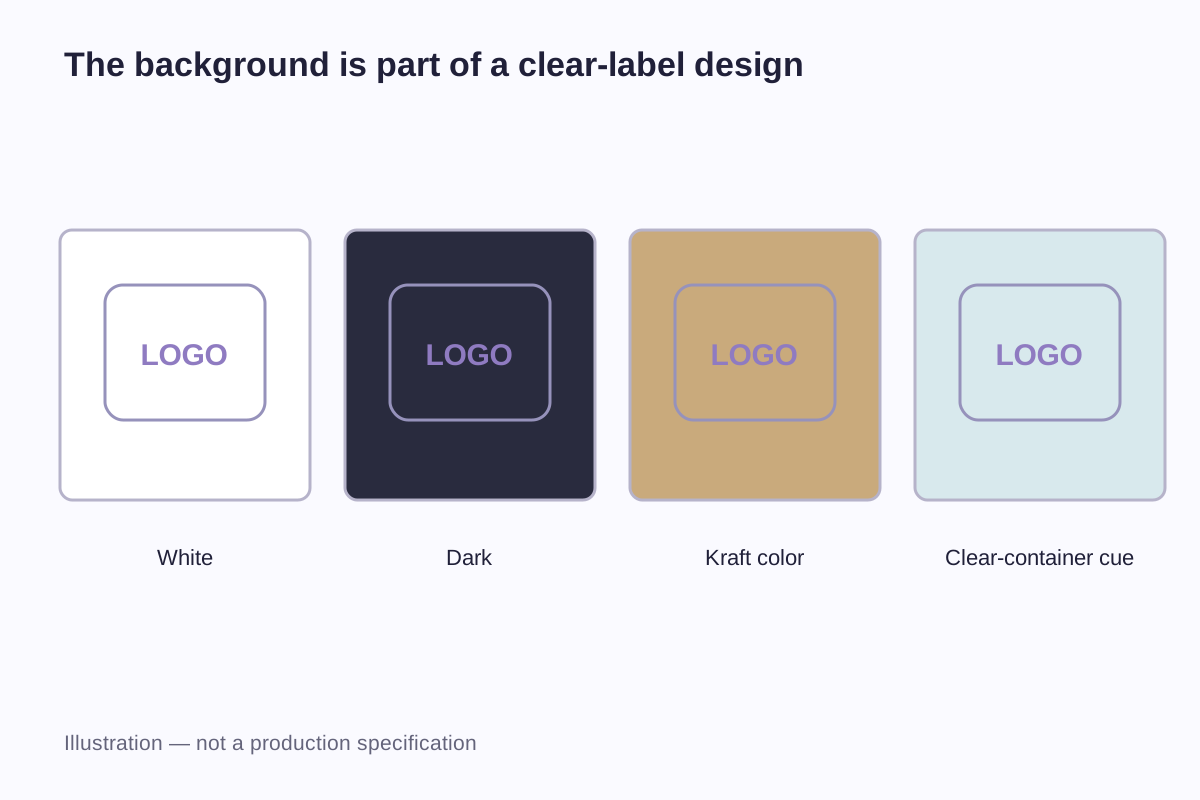
A clear sticker allows the surface behind it to become part of the design. That can make a small logo look almost directly printed on a bottle, but it also means the same artwork may look different on white plastic, brown cardboard and dark glass. A white sticker supplies its own background, giving the printed image a more consistent starting point.
White ink adds another possibility: a white printed area on otherwise transparent material. It can support part of an image while leaving another part clear. The practical question is therefore not simply “clear or white?” It is which parts of the label should show the container, and which parts need their own background.
The examples below separate those choices. Their dimensions describe sample layouts, not minimum production sizes or guaranteed print tolerances.
Three things that can look white in a design file
A white rectangle on a screen can represent white label material, a printed white area or the application's blank page. Those interpretations can produce very different physical labels.
| Description | What supplies the background? | What happens in an unprinted area? | Design implication |
|---|---|---|---|
| White film sticker | The white face material | The material remains visible | A blank margin normally looks white |
| Clear film sticker without a white layer | The container or surface behind the film | The surface remains visible through the film | Empty areas become part of the container's appearance |
| Clear film with selected white printing | A white ink layer in designated areas | Areas outside that layer can remain transparent | White artwork and transparent artwork need separate definitions |
PET and PVC describe film materials. “Clear” and “white” describe an appearance, while white ink describes a printing layer. Treating those words as interchangeable can leave the most important part of an order unexplained. A request for “clear PET with a white logo,” for example, contains both a material choice and a printing requirement.
The sticker materials guide explains the separate roles of face material, adhesive and surface finish. None of those material names alone tells a printer where your artwork should be opaque.
What changes when the background changes?
Consider a 50 × 50 mm square design containing a blue symbol, pale yellow lettering and an empty border. Compare it on four backgrounds without changing the artwork's dimensions.
| Background behind the label | What the comparison reveals | A useful design response |
|---|---|---|
| White packaging | The familiar appearance of the artwork on a light background | Use this as one reference, not the only reference |
| Black packaging | Whether pale details and colored areas remain distinguishable | Give critical content its own background if needed |
| Brown kraft packaging | How the packaging color participates in the image | Decide whether that warmer appearance is intentional |
| Clear, filled container | How the contents and objects behind the bottle affect the label | Evaluate the filled package, including its usual display position |
A screen mock-up shows how the artwork sits against each background. Compare printed samples on the packaging to judge the film's clarity, the opacity of the printed areas and the resulting colors.
There is also a difference between a transparent border and a white rectangle that happens to match the bottle photograph behind it. A preview on a dark background exposes that rectangle in the file. Whether it will print white or remain unprinted depends on the print setup, so the artwork needs to identify the intended transparent and white areas explicitly.
For a product sold in several container colors, the background belongs in the design brief. “The same label on a white jar and a black jar” is a different task from “one label for a white jar.” The first task may need a stronger separation between the printed image and its surroundings.
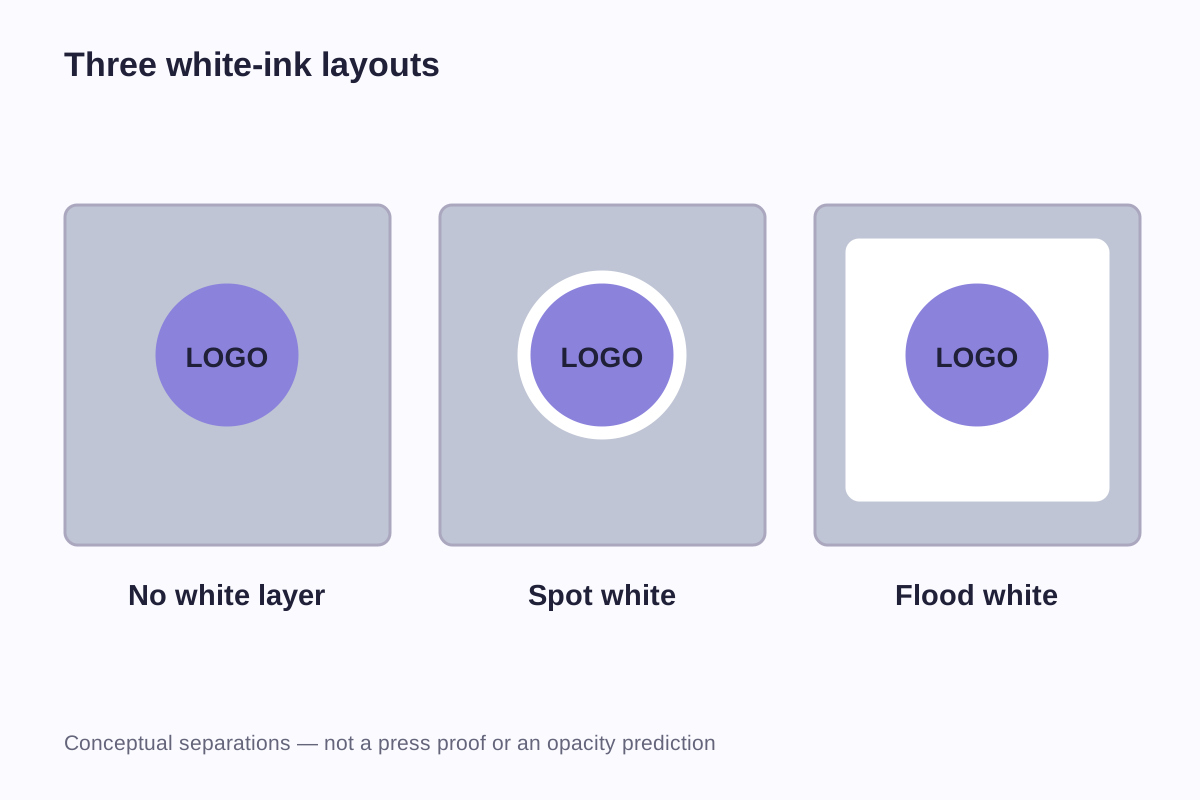
No white layer, selected white areas or a full white panel
White printing is an established way to reduce the influence of a transparent substrate's background. Roland's transparent-printing guide illustrates a white layer behind color and distinguishes viewing from the printed side from viewing through the material. That explains the principle; it does not prescribe one opacity level for every printer or ink system.
An image that deliberately uses the background
A simple dark wordmark can leave much of a clear label open. This approach is useful when the packaging color, visible contents or underlying texture is meant to remain prominent. It becomes less predictable when the same label moves between very different packages.
In the 50 × 50 mm example, an unprinted border leaves the bottle visible around the blue symbol. The pale yellow lettering still needs to be readable against the filled container. If it carries the main message, a white background behind those letters may be more useful than keeping that part transparent.
White only where the design needs it
A selected white area can sit behind a logo, or appear as visible white lettering, while another region remains clear. This gives a layout two different kinds of space: printed content with its own background and open areas that reveal the package.
The selected area needs a defined shape. “Add some white under the logo” is less precise than identifying the symbol, lettering and rectangular information panel separately. The printer's file method may vary; the intent should remain understandable without relying on a particular software swatch name.
A white panel on clear material
A full rectangular white panel creates a distinct information area within the clear label. It can hold the brand, product name and small text while a transparent margin surrounds it. This layout looks different from a white sticker because the physical edge and the white printed edge need not occupy the same position.
It is particularly useful to distinguish “full white behind the artwork” from “white across the entire label.” If the artwork covers only half the label, those instructions do not describe the same result.
A 60 × 30 mm label with a transparent window
Here is a hypothetical bottle-label layout that makes those boundaries measurable. The label's finished rectangle is 60 mm wide and 30 mm high. A 4 mm transparent margin surrounds an inner area measuring:
60 − 4 − 4 = 52 mm wide
30 − 4 − 4 = 22 mm high
Within that inner area, the left 32 × 22 mm region holds the brand and product name. A 4 mm clear separation divides it from a 16 × 22 mm viewing window on the right. The width calculation is 32 + 4 + 16 = 52 mm.
| Part of this example | Dimensions | Intended appearance |
|---|---|---|
| Finished label | 60 × 30 mm | Transparent film carrying the complete design |
| Inner layout area | 52 × 22 mm | Combined information and viewing areas |
| Information panel | 32 × 22 mm | Printed content with a defined white background |
| Separation | 4 × 22 mm | Clear space between the two areas |
| Viewing window | 16 × 22 mm | No printed image or white panel |
The 4 mm spaces are choices made for this example. They are not a universal clear-label margin or a production allowance.
This layout answers a practical packaging problem: the product name has a dedicated background, while the contents remain visible beside it. It also exposes a limitation early. If the product name, volume statement and instructions do not fit comfortably within 32 × 22 mm, the answer may be a wider information panel or less front-facing text. Shrinking all the lettering to preserve an arbitrary window would defeat the purpose of the panel.
Keep white artwork separate from transparent areas
An ordinary white object in a file does not automatically tell every printing workflow to deposit white ink. In a process-color-only file, an area with no process ink may simply expose the material below it. That can look white on white stock and clear on transparent stock.
Roland's special-color file guidance uses designated spot colors to identify white and other special inks. Its names and settings belong to that workflow, rather than being universal instructions for every printer.
A useful artwork package therefore separates three meanings: the visible design, the intended white areas and the cut boundary. A second preview on a dark background can reveal accidentally white rectangles that a white page hides. A labeled preview also helps someone who does not have the original design software understand the intended result.
Fine white lettering deserves attention at the final label size. Enlarging a PDF on screen makes a small word easy to read but says little about the finished package. Compare the letter shapes, spacing and contrast on the printed label. Minimum line width depends on the white-ink process, so the printer needs the final artwork dimensions to assess fine strokes.
Glass has an installation side and a viewing side
A sticker attached inside glass but read from outside is not described fully by the word “inside.” The reader is looking through the glass toward the printed construction. The artwork orientation and the position of any background layer must suit that route.
Epson's multi-layer file-design instructions show different color-and-white sequences for viewing the printed surface and viewing through transparent media. They also distinguish a construction intended for viewing from both sides. These are equipment-specific illustrations of why the viewing direction matters.
For a window project, a short side-view sketch can label the room, glass, label and intended reader. A front view then shows which way the text must read. This is clearer than sending a mirrored file with no explanation: the recipient might interpret the mirror image as the desired final appearance.
Installation position, available space and viewing distance are covered in the car and window decal size guide. Glass thickness, tint and reflections remain part of the finished viewing conditions; moving the label to the inside does not remove them.
Compare the label on the package people will actually see
An empty clear bottle on a white desk is a convenient place to inspect a label, but it may not resemble the product on a shelf. A filled bottle can introduce a strong background color. A curved surface changes the angle of reflections across the artwork. A rear label may be visible through the front.
Compare print versions using the same artwork, label size and container position. Record which package was used, whether it was filled and where the light came from. A note such as “version B looks brighter” needs those details to explain whether the difference came from the print, the contents or the lighting.
For repeated bottle labeling, the drawing should identify the top of the label and the intended position of its clear window on the bottle. Roll winding and feed orientation then need to match the application setup. The roll label specification guide covers those details, while the custom roll label collection describes the supply format.
WiseSticker's custom clear sticker collection covers transparent PET and PVC projects. Show which areas need white ink, which should stay clear and which side people will read. White-ink availability and the layer arrangement need to be established for the proposed order before the artwork is finalized.
Frequently asked questions
No. A transparent PNG can show which parts of the image have no visible content, but it does not specify the physical label material, adhesive, cut shape or printing layers. It also does not necessarily distinguish visible white artwork from a white background layer. The file and the product specification need to describe the same design.
That is a possible industry layout using a selected white printing area. Its success depends on the chosen printing process and how the artwork layers are prepared. The clear margin should be shown separately from the logo's background, rather than leaving the printer to infer it from a photograph.
Several different effects can look like grayness: the bottle showing through printed areas, reflections, a hazy material appearance or the way the adhesive looks on that surface. Compare an unprinted area with a printed one and view the label under the same lighting. A photograph alone cannot reliably identify which layer causes the appearance.
Yes, but the design should be evaluated on all of them. A dark wordmark that works on white packaging may lose separation on a dark jar. A dedicated background behind essential text can reduce that dependence, while open areas retain the package color. One attractive mock-up does not establish the result on every container.
White describes color or printing, not a water-performance rating. Water exposure involves the face material, print, adhesive, any protective finish and the surface underneath. A white layer added for appearance does not by itself establish suitability for condensation, immersion or washing.
Related guides
- Sticker Materials Explained: Vinyl, PET and Paper
- Car and Window Decal Size Guide: Placement and Viewing Side
- Roll Label Specifications: Size, Core, Diameter and Unwind Direction
Send the label dimensions, a photo of the filled container and artwork showing which areas should stay transparent. If the design needs white printing, mark those areas so we can discuss them alongside the clear PET or PVC material.
Discuss Clear Stickers