
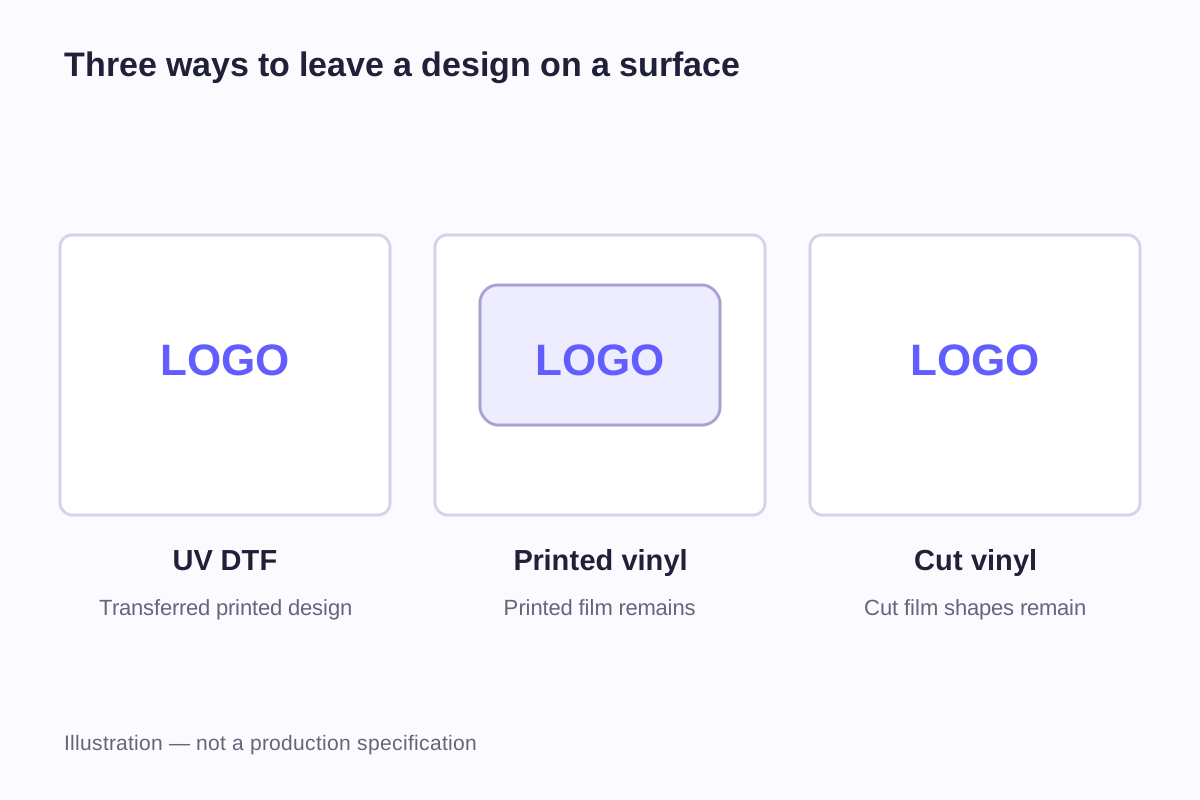
A printed vinyl sticker leaves a piece of printed film on the object. Cut vinyl lettering leaves the cut letters or shapes. A UV-DTF transfer applies a printed design from a temporary carrier. From a distance, all three might display the same logo, but their borders, open spaces and application steps can be quite different.
That makes “UV DTF versus vinyl” an incomplete comparison until vinyl is divided into printed stickers and cut graphics. A full-color illustration on a single label and a row of separate letters are different products, even when both use a vinyl material.
This article compares those constructions as industry methods. WiseSticker's product range includes custom UV transfer stickers; that broader product name does not identify a particular UV-DTF printer, film system or ink formulation.
Start with what remains after application
The easiest way to understand the difference is to follow the material through application. A liner or carrier helps supply and position the graphic, but it should not be confused with the layer intended to remain on the product.
| Product being compared | How the design is formed | What remains on the object | What defines the visible outer edge? |
|---|---|---|---|
| Printed vinyl sticker | An image is printed on adhesive film and the label is cut | The printed film and adhesive | The finished label contour |
| Cut vinyl graphic | Letters or shapes are cut from a colored adhesive film | The selected film shapes and adhesive | The contour of each retained shape |
| UV-DTF transfer | A UV-printed design is prepared on a transfer film | The transferred design and its bonding layers | The transferred artwork rather than a surrounding label sheet |
Mimaki describes its UJV300DTF-75 process as UV printing on a special glued film and transferring the printed design to the object. Its explanation also distinguishes that process from manually removing unwanted material around a cut graphic. That describes Mimaki's process; another product sold as “UV transfer” may use a different system.
For printed vinyl, the contour may be a rectangle, circle or custom shape. For cut lettering, spaces between letters can expose the object itself. A temporary application film can hold separate pieces in position during installation; it is not intended to become an extra rectangular label face.
A 50 × 30 mm layout can hide three different finished structures
Imagine a design file with a 50 × 30 mm layout area. Its actual logo occupies a centered 40 × 16 mm rectangle. That leaves 5 mm on the left and right, and 7 mm above and below:
(50 − 40) ÷ 2 = 5 mm
(30 − 16) ÷ 2 = 7 mm
If supplied as a rectangular printed sticker, the 50 × 30 mm outline is the physical label. Its margin can be white, clear or printed, depending on the specified construction. Even a visually transparent margin is still film attached to the object.
If supplied as separate cut letters and an emblem, the layout rectangle may only be a positioning reference. The finished graphic consists of the selected shapes. Likewise, a transfer brief should distinguish the area occupied by the visible design from the size of the sheet or carrier used to handle it.
This distinction prevents an easy ordering mistake: quoting a 50 × 30 mm “sticker” when one party means the carrier and the other means the visible logo. Both dimensions can be useful, but they need different names.
| Dimension in this example | Measurement | Meaning |
|---|---|---|
| Layout rectangle | 50 × 30 mm | The area used to position the design in the example |
| Visible artwork bounds | 40 × 16 mm | The maximum width and height of the logo |
| Left and right layout space | 5 mm each | Space outside the artwork, not necessarily a permanent border |
| Top and bottom layout space | 7 mm each | Space outside the artwork, not necessarily a permanent border |
The finished construction determines which of these measurements describes a physical edge. The calculation itself says nothing about a process's minimum feature size or handling-film requirements.
Full-color images and cut shapes need different artwork
A photograph, shaded illustration or multicolor gradient depends on printed tonal variations. Cutting a single colored film produces shapes in that film's color; it does not reproduce a photograph's changing tones. A cut graphic can be an excellent fit for a simple wordmark, but converting a detailed image into cut shapes is a design change, not just an alternative machine setting.
A printed vinyl label can keep separate tiny elements within one continuous label. For example, a small dot and a letter remain connected physically by the underlying film even though the artwork shows a gap. In a design made from separate applied elements, handling and positioning those elements become part of the application question.
Include the smallest details in the sample: the dot, narrow gap, thin outline and actual text at the intended size. Compare how each option reproduces and applies them. A large demonstration logo will not show whether those same details remain clear in a smaller design.
For a contour-cut printed option, the custom die-cut sticker collection provides a different route from a transferred graphic. The shape of the physical film can follow the image without requiring every printed component to become a separate piece.
Compare sizes without accidentally changing the proportions
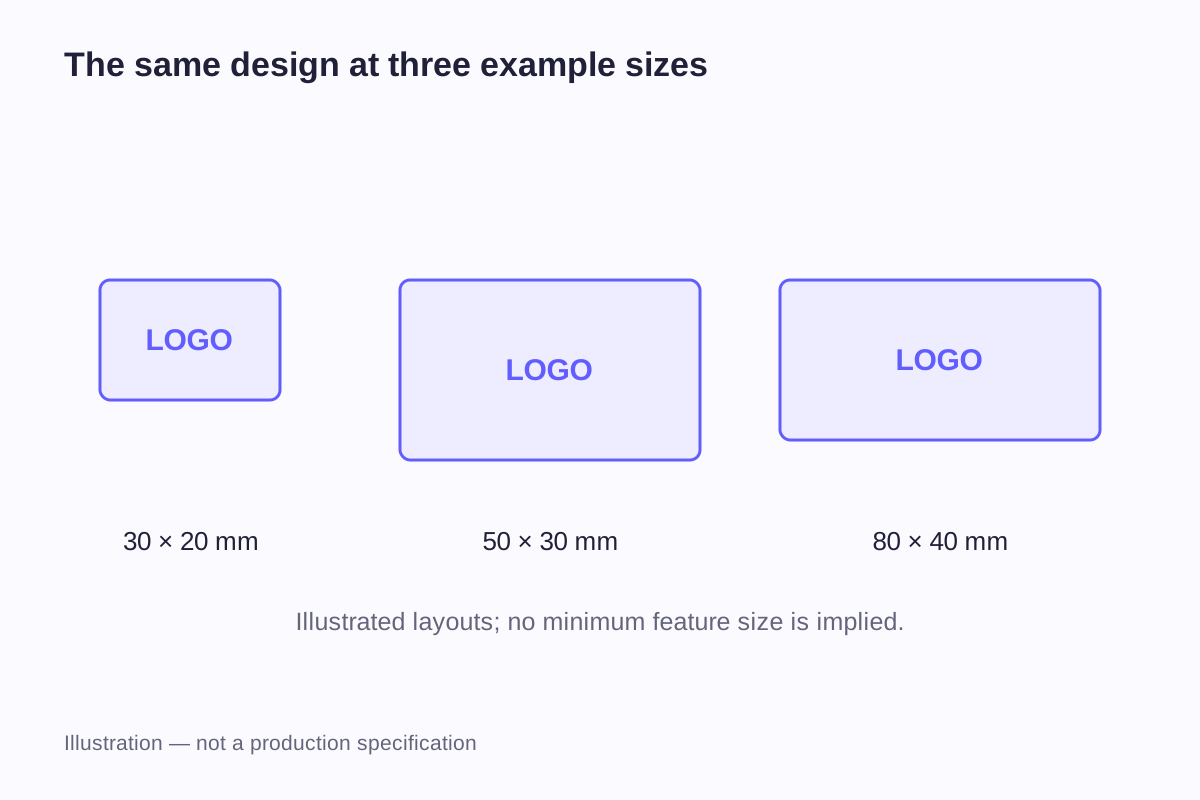
The dimensions 30 × 20, 50 × 30 and 80 × 40 mm make useful example layout areas, but they do not share the same proportions. Their width-to-height ratios are 1.5, about 1.67 and 2.0 respectively. Stretching one logo to fill all three rectangles would distort it.
Suppose the original artwork is 40 × 16 mm, with a ratio of 2.5. Scaling it to the full width of each example area while preserving proportions gives:
| Layout area | Artwork scaled to the area's width | Remaining vertical space in total |
|---|---|---|
| 30 × 20 mm | 30 × 12 mm | 8 mm |
| 50 × 30 mm | 50 × 20 mm | 10 mm |
| 80 × 40 mm | 80 × 32 mm | 8 mm |
Keep the artwork dimensions beside the layout dimensions when comparing these examples. The remaining space is geometric only; it is not a cutting allowance or an approved production layout.
Reduction also affects the smallest features. If a line is 0.4 mm wide in a 50 mm-wide design, reducing the entire design to 30 mm wide scales that line to 0.4 × 30 ÷ 50 = 0.24 mm. Whether it reproduces and applies reliably is a separate process question. The arithmetic does not make 0.24 mm an approved manufacturing specification.
The sticker size guide explains how to use a full-size paper layout to judge placement. That establishes the footprint before a physical sample is used to evaluate finish and adhesion.
Film thickness is not transfer thickness
Vinyl data sheets give a thickness for a particular material layer. ORAFOL lists its American-market ORACAL 651 craft vinyl as a 2.5 mil calendered PVC film for flat surfaces and simple curves. Converting the stated thickness gives:
2.5 mil × 0.0254 mm per mil = 0.0635 mm
This is a named film example, not a universal vinyl thickness and not a WiseSticker material specification. It should not be used as the thickness of a UV-transferred print, a completed laminated sticker or a label still attached to its release liner.
A raised print can also have a different profile from a continuous film label. The useful comparison is the actual finished edge and surface on the object. A broad adjective such as “thin” leaves unanswered whether the speaker means the carrier before application, the vinyl face material or the complete installed graphic.
The materials guide separates those layers and explains the units. Keeping the measured layer attached to the number makes comparisons much easier to interpret.
The adhesive contacts the finish, not the product name
“Glass bottle,” “metal tumbler” and “plastic case” are useful starting descriptions, but they do not fully identify the surface. Glass may have a coating. Metal may be painted or powder coated. Two plastic cases can look similar while differing in resin, texture or surface treatment.
Mimaki's UV-DTF product precautions state that adhesion and weather resistance can vary with the ink and substrate and call for material testing.
| Surface description | Information that makes it more specific | Useful observation on a representative sample |
|---|---|---|
| Clear glass bottle | Coating, curvature and actual label location | Whether the graphic lies evenly against the intended area |
| Painted metal part | Paint finish and surface texture | Whether contact and appearance remain consistent across the design |
| Hard plastic case | Plastic identification where available, molding texture and coatings | Whether small details transfer and remain attached |
| Curved container | Diameter or local curve, graphic orientation and available height | Whether the full design contacts the surface without spanning a ridge |
These surfaces need their own sample checks. Use a finished item with its actual coating; a result from an uncoated test plate may not carry over to the product.
Handling, bending and cleaning are separate questions
A graphic on a rigid display item has a different life from one on a bottle that is gripped, washed and carried in a bag. The contact surface can be similar while the demands on the finished graphic differ.
For handling, the relevant areas may be the outside edges, isolated letters and places touched repeatedly. For bending, the question is whether the object or graphic moves during normal use. For cleaning, water temperature, detergent, rubbing and equipment all describe different exposures. “Durable” does not give enough information to compare them.
A sample record can list the object, artwork size, material or transfer reference, application date and handling conditions used. Note what changed and where: a lifted corner, a missing small element, surface scratching or a color change. Mark untested conditions as “not evaluated” so they remain separate from the recorded results.
The waterproof versus water-resistant guide covers cleaning and water exposure in more detail. Neither vinyl nor UV-DTF, as a category name, provides a dishwasher rating or a fixed outdoor lifespan.
Match the brief to the appearance you actually need
For a one-color name on a smooth object, the main design issue may be the open space between letters. For a detailed illustration, it may be preserving color transitions and tiny separated elements. For a product label, a continuous background might be welcome because it gives small text a dedicated reading area.
In the brief, describe the visible artwork size and whether spaces between letters or shapes should reveal the object. Add the surface finish and expected handling. If a reference image shows raised print, say whether you want a similar appearance; use a measured sample or drawing to specify an exact height.
Frequently asked questions
No. The abbreviation refers to film-based transfer in both names, but the systems differ. Mimaki's textile DTF explanation describes an apparel process involving transfer film, hot-melt powder and heat-transfer equipment. Instructions for that process should not be assumed to apply to a UV-DTF decoration for a hard object.
In the UV-DTF construction discussed here, the temporary carrier is removed and the intended transferred design remains. A clear rectangular vinyl sticker is different: its transparent face film remains on the object. The supplied product's construction and application instructions identify what is temporary and what stays.
No. A conventional printed label on a continuous piece of film can often be handled as one piece. Separate cut letters or shapes may use application tape to preserve their relative positions. The word vinyl identifies a material category; it does not specify a single handling format for every product.
There is no reliable answer based only on the category name. The actual font, size, line widths, spacing and application method matter. A useful comparison includes the smallest intended lettering at final size and evaluates the applied result, rather than comparing large sample logos or advertised print resolution alone.
Not by itself. A change in coating, plastic, texture or curvature can change the application, even when the bottles look similar. Record the tested coating, shape and use conditions, then compare them with the second bottle before relying on the result.
Related guides
- Sticker Materials Explained: Vinyl, PET and Paper
- Waterproof vs Water-Resistant Stickers: What to Look For
- Sticker Size Guide: Dimensions in Inches and Millimeters
Send the artwork dimensions and details of the finished surface, including any paint or coating. A photo of the placement area and intended cleaning conditions will help define the project.
Discuss UV Transfer Stickers